
E-commerce SEO: How to Write File Names and Alt Text (Alt Text)
A practical checklist to improve e-commerce image SEO with descriptive file names and meaningful alt text.
Introduction
Image SEO is often overlooked in e-commerce. But when done well, descriptive file names and meaningful alt text help search engines understand your product images and improve accessibility for users.
This guide provides five practical checks to write file names and alt text that are clear, keyword-friendly, and not spammy. Use xcropimage.io to crop and resize images—then apply these SEO rules to the final exports.
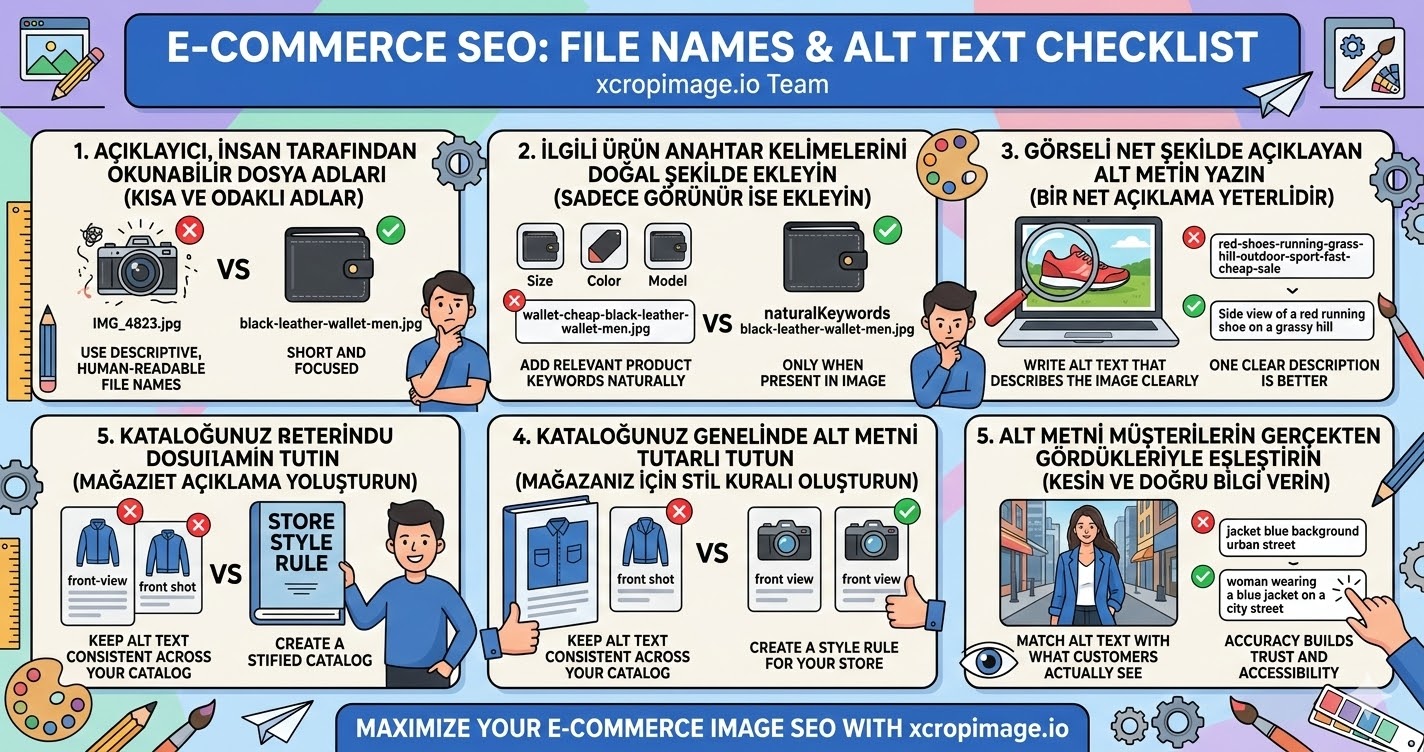
1. Use descriptive, human-readable file names
Avoid random names like IMG_4823.jpg. Instead, use readable phrases like black-leather-wallet-men.jpg.
Keep the name short and focused on what the image actually shows.
2. Add relevant product keywords naturally
If you mention size, color, or model, reflect that in the file name and alt text—only when it is truly present in the image.
Natural language helps both search engines and people using screen readers.
3. Write alt text that describes the image clearly

Alt text should explain what the image shows. For product images, this usually means the product type, color, and view/angle.
Do not stuff multiple keywords. One clear description is better.
4. Keep alt text consistent across your catalog
If one product uses “view of front” and another uses “front shot,” your catalog becomes harder to interpret.
Create a simple style rule for your store and apply it everywhere.
5. Match alt text with what customers actually see
Alt text should never describe something that is not visible (e.g., saying “with blue background” when the background is white/gray).
Accuracy builds trust and improves accessibility.
Conclusion
Better e-commerce image SEO is built from five checks: descriptive file names, natural keywords, clear alt text, consistent style across the catalog, and accuracy to what users see. Combine these rules with consistent exports using crop and resize tools on xcropimage.io.