
Instagram Carousel Photos: Correct Size and Order
How to prepare Instagram carousel photos with the right size, consistent formatting, and a slide order that tells a clear story.
Introduction
Instagram carousels work like a mini-story: each slide keeps attention and helps people understand your product or message step by step. But carousels can underperform when slides are inconsistent (different sizes, crops, or loose spacing), because the feed visitor feels the lack of care instantly.
In this guide, you will learn a simple checklist to prepare carousel photos with consistent framing and a clean order. You can use the tools on the xcropimage.io homepage to crop and resize your images before posting.
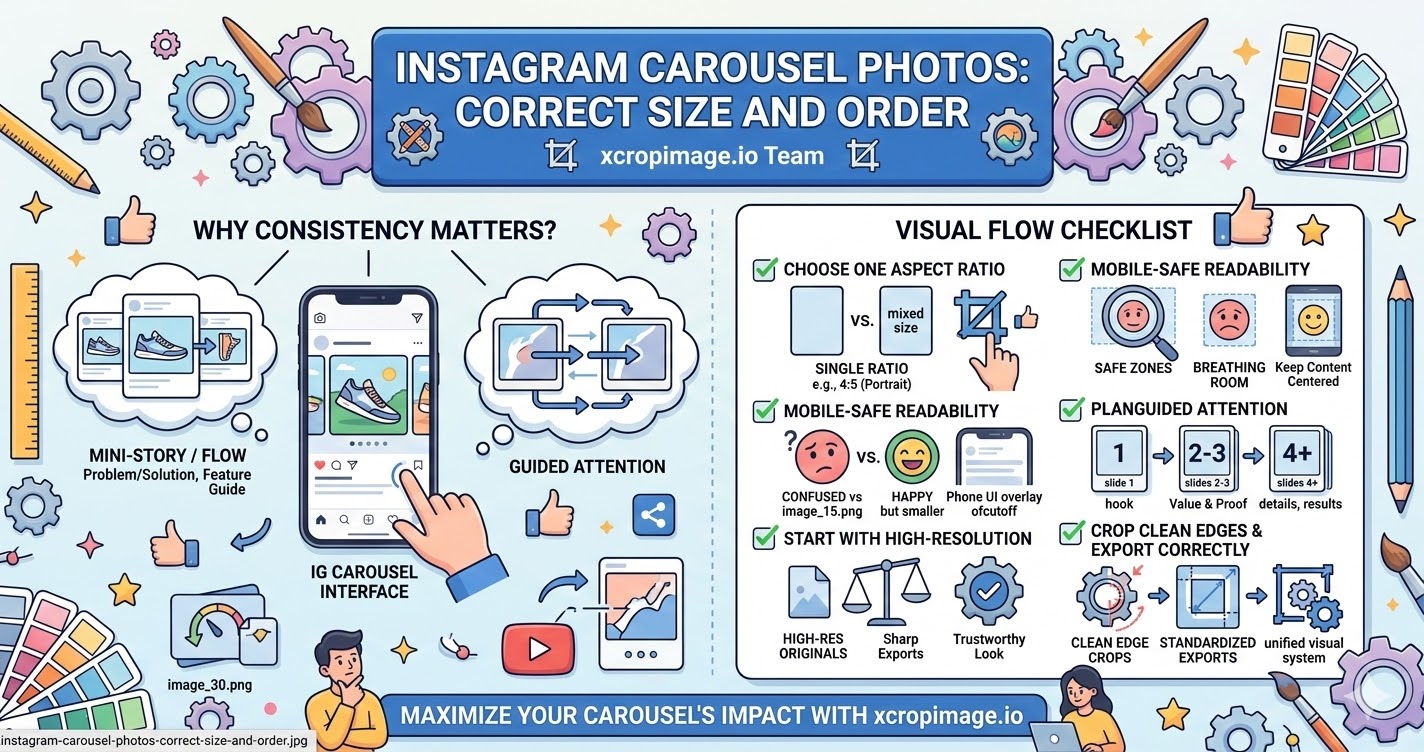
1. Choose one aspect ratio for the whole carousel
Consistency matters more than perfection. For a feed carousel, pick a single ratio (commonly a clean portrait feel) and apply the same crop tightness across all slides.
Use the crop tool to lock the framing style, then use the resizer to standardize the exact pixel dimensions.
2. Keep the main subject readable on mobile
Most people swipe on a phone screen. If the product details or your text are too close to the edges, they will look cramped or get cut by different UI overlays.
Keep the key element (product, face, logo) closer to the center safe area and leave a bit of breathing room around it.
3. Start with high-resolution sources
Carousel images are often uploaded multiple times (ads, organic posts, reshares). If you start from a low-resolution or heavily compressed file, the carousel will look soft and less trustworthy.
Export from a high-quality original, then resize/crop for each slide so everything stays sharp across the entire set.
4. Plan an order that guides attention
Your slide order should answer “what is this?” and “why should I care?” quickly.
Use a structure like: slide 1 as the hook/cover, slide 2–3 for the main value (problem/solution or features), slide 4+ for proof (details, results, social proof).
5. Crop for clean edges and export every slide correctly
After you finalize the composition, remove distractions at the edges. A carousel looks professional when every slide has the same “padding” and no random leftovers.
Then export each slide with consistent dimensions using the resizer so the entire carousel feels unified as one visual system.
Conclusion
To make an Instagram carousel that looks intentional, focus on five things: consistent aspect ratio, mobile-safe readability, high-resolution sources, a story-driven slide order, and clean edge crops with standardized exports. Use the crop and resize tools on xcropimage.io to prepare your carousel slides quickly and keep a consistent visual flow.