
Natural-Looking Shadow Settings for Product Photos
A practical checklist for creating natural-looking shadows in product photos so the cutout looks realistic and trustworthy.
Introduction
Shadows are what make a product image feel “real.” Without a shadow (or with an incorrect one), even a perfectly cut product can look like a floating sticker. But shadows also need consistency: the direction, softness, and intensity should match the scene and remain uniform across your catalog.
Use this checklist to make product shadows look believable. For clean edges and consistent framing, you can also rely on the crop tool and resizer on xcropimage.io.
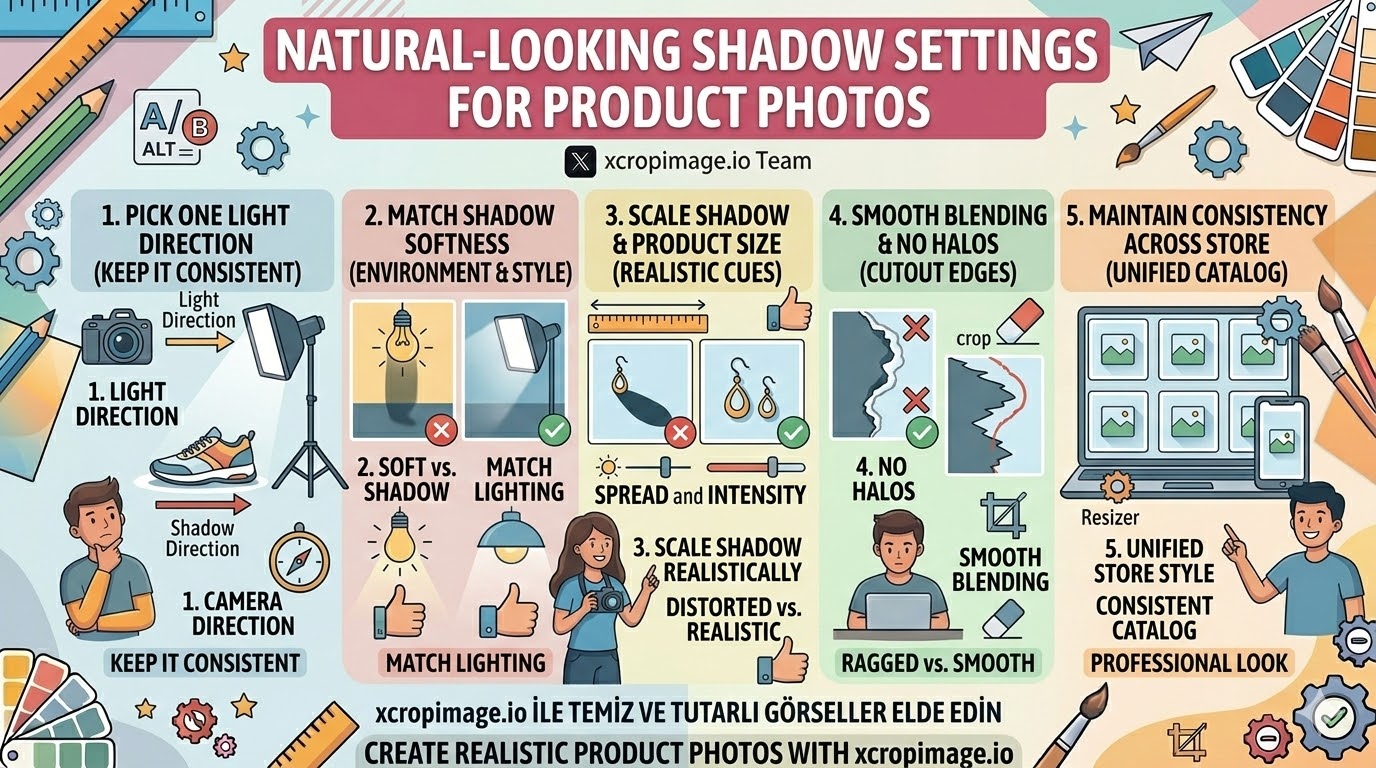
1. Pick one light direction and keep it
Decide where the “light” comes from (top-left, top-right, etc.). Then ensure the shadow direction matches that choice across all angles and all products in the same set.
If the shadow direction changes between images, the viewer senses inconsistency immediately.
2. Match shadow softness to the lighting environment
Hard light usually creates sharper shadows; diffused/soft lighting creates softer, more gradual shadows.
For studio-like, clean product shots, soft shadows almost always look more natural than harsh ones.
3. Scale the shadow so it fits the product size and spacing
Shadow size is a visual cue for distance. A tiny product with a large, heavy shadow can feel wrong; the opposite can look detached.
Adjust shadow intensity and spread together so the overall “weight” matches the product.
4. Blend edges to avoid halos and cutout artifacts
One of the most common mistakes is a shadow that has a ragged edge or a visible outline around the product.
Keep the shadow blending smooth. Use the crop tool to remove leftover edge clutter and help the product sit cleanly in the frame.
5. Keep shadow style consistent across your store
If one product uses a subtle soft shadow and another uses a darker, heavier shadow, your catalog will feel uneven.
Create a standard shadow look and apply it to the whole product line—then use resizer to export consistent image dimensions for every listing.
Conclusion
Natural shadows come from five checks: one light direction, correct softness, realistic scaling, smooth blending without halos, and consistent shadow styling across your catalog. Combine these fundamentals with clean cropping and standardized exports using the crop and resize tools on xcropimage.io for a more professional product gallery.