
Before print: resolution, bleed, and color profiles (CMYK vs sRGB)
A short checklist for DPI, bleed, and color conversion when sending images to brochures or packaging.
Introduction
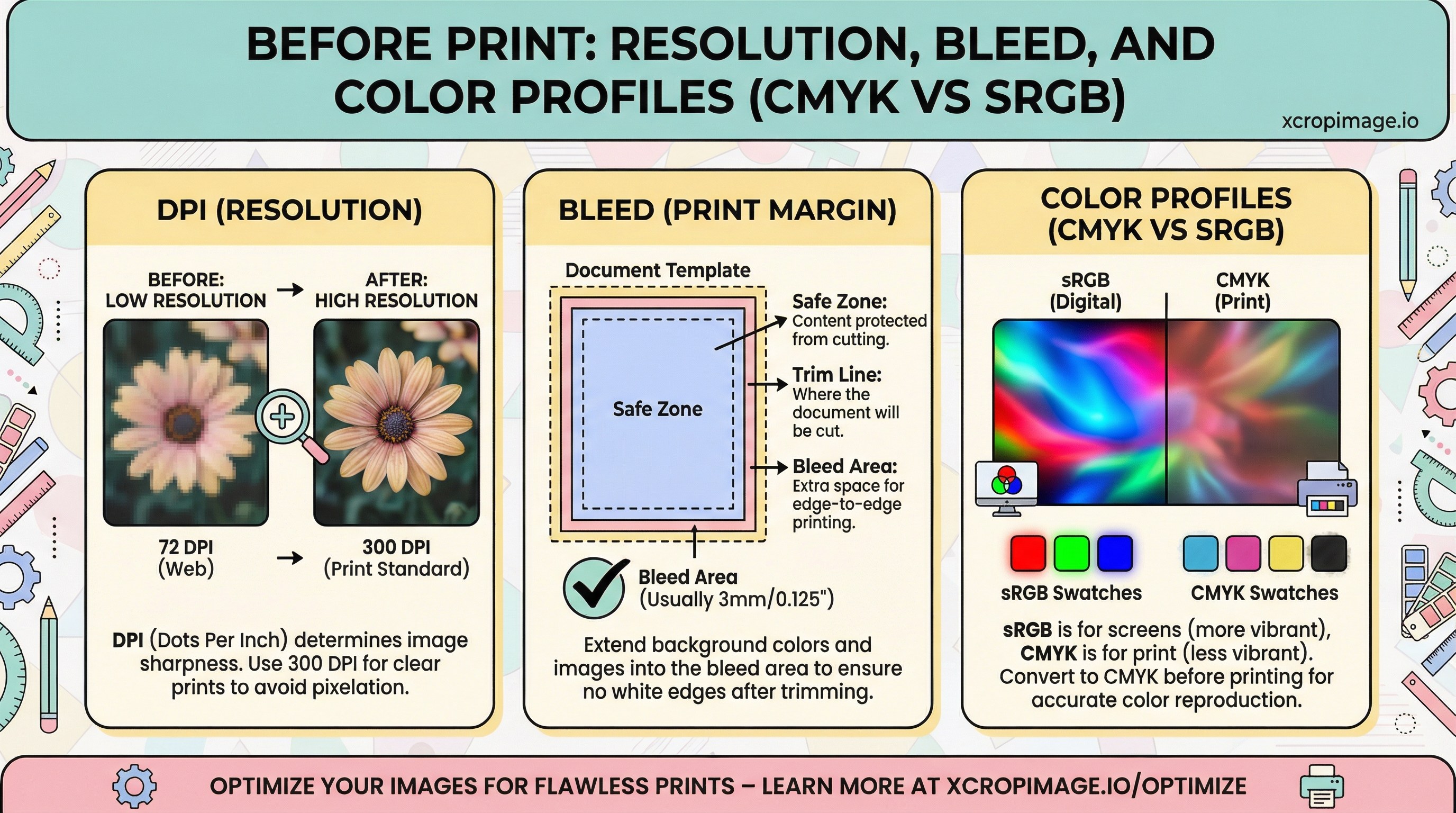
Sending sRGB web images straight to CMYK print causes color shifts. Missing bleed and wrong DPI create white edges or blur.
Earlier in this series: Pinterest vertical strategy · LinkedIn covers · WebP vs AVIF.
DPI and physical size
The common 300 DPI guideline depends on final print dimensions. Adobe explains image size and resolution clearly.
Bleed and trim
Always ask vendors for bleed templates—designing flush to trim without bleed risks ugly gaps after cutting.

Color profiles
Web assets are usually sRGB; offset often needs CMYK. Convert in a controlled environment; see ICC profiles for background.
Bridge to web
For the same product shot online, follow product photo resolution for Retina.
Conclusion
Ship separate print and web derivatives; use resize and convert for web output.