
Story Highlights Cover Visual Strategy
A practical checklist to design Story Highlights cover images that look cohesive, readable, and on-brand.
Introduction
Story Highlights covers are small, but they influence how people navigate your profile. If covers look inconsistent or unreadable, visitors don’t click—and your content becomes harder to discover.
This guide provides five checks to build a visual strategy for your Highlights covers. Use crop and resizer on xcropimage.io to keep everything aligned and clean.
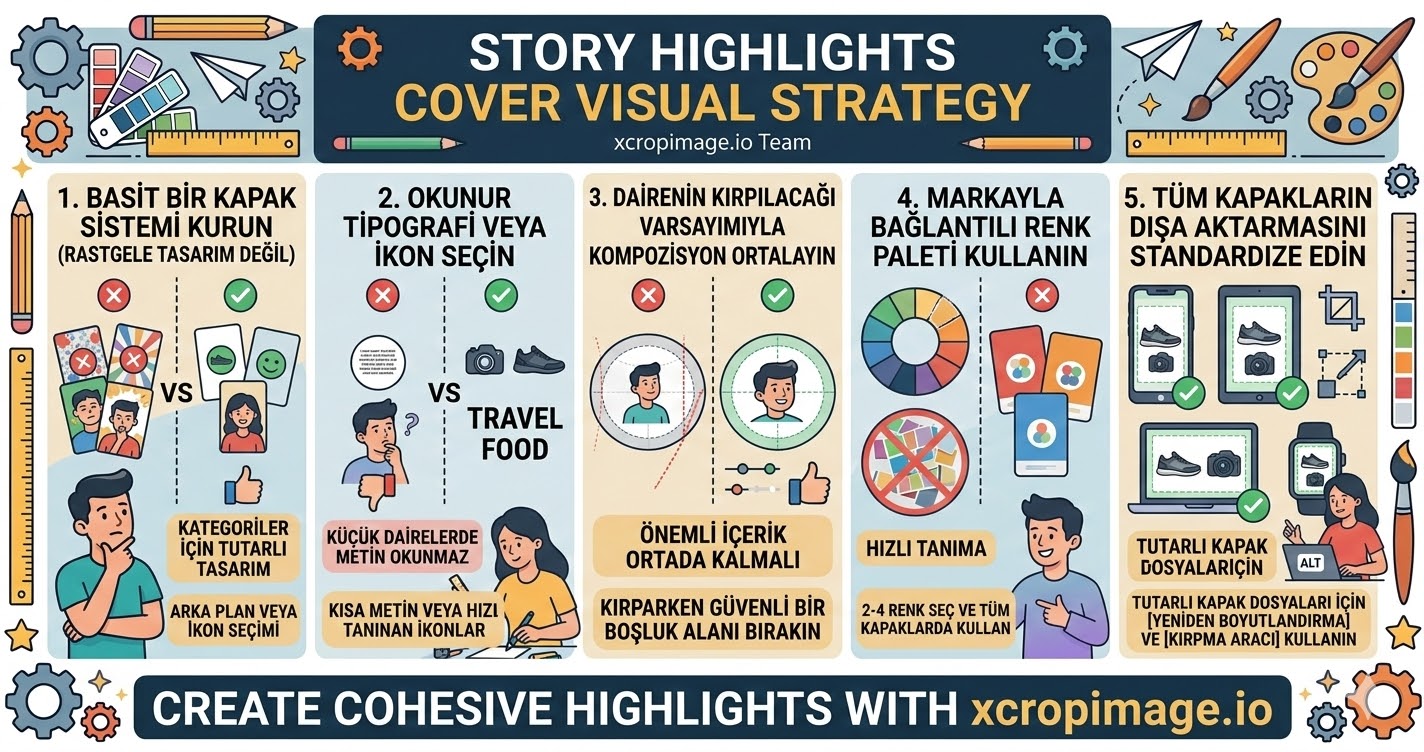
1. Create a simple cover system (not random designs)
Decide how each category will look: same background style, similar icon/text treatment, and consistent spacing.
A system makes your profile feel organized even when you add new highlights frequently.
2. Pick readable typography or use icons
Highlights covers are viewed as small circles. If text is too small, it becomes unreadable.
If you use text, keep it short. Alternatively, use icons or symbols that are recognizable at a glance.
3. Keep composition centered for circle cropping

Your cover image will be displayed inside a circular shape. Important content must stay in the center.
When cropping, leave safe space around the edges so nothing gets cut off.
4. Use a consistent color palette linked to your brand
Color is the fastest recognition tool. Choose 2–4 colors and use them across all covers.
This also helps your highlights feel like part of your brand identity, not separate artwork.
5. Standardize exports so all covers match
Even “good” designs look off if they are exported with different sizes or ratios.
Use the resizer and crop tool to export consistent cover files and keep a cohesive look.
Conclusion
A strong Story Highlights cover strategy is built from five checks: a simple system, readable text/icons, centered composition for circle cropping, brand-linked colors, and standardized exports. Use the crop and resize tools on xcropimage.io to prepare covers quickly and keep your profile clean and professional.