
TikTok Featured Cover Images: Attention-Grabbing Tips
How to create TikTok featured cover images that stop the scroll and look professional. A practical 5-check guide.
Introduction
TikTok featured (cover) images are your chance to “set the hook” before someone taps. Even if your video is great, a weak cover image can reduce clicks and watch time.
This guide provides five quick checks for attention-grabbing TikTok featured covers. You can use crop and resizer on xcropimage.io to prepare the right composition and consistent size.
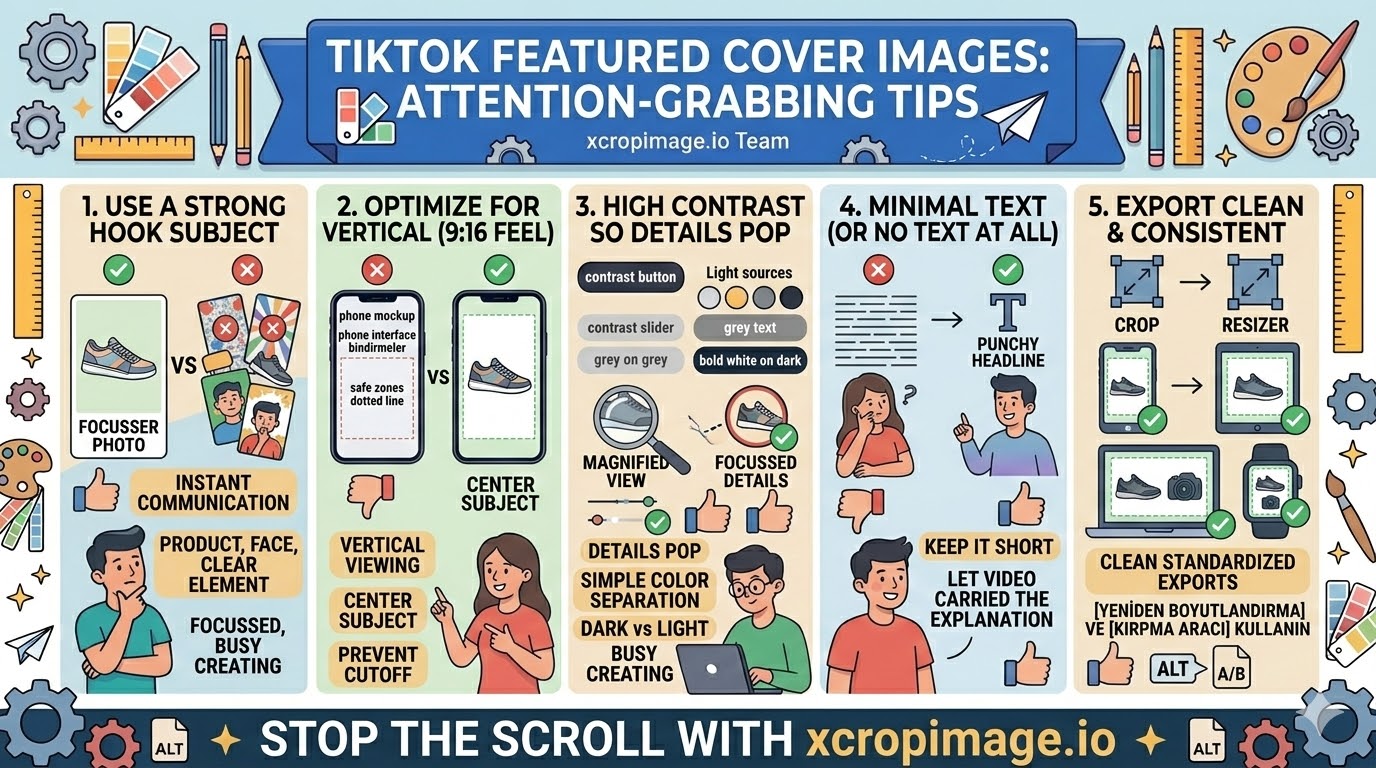
1. Use a strong hook subject
Pick one subject that instantly communicates the topic: product, face, or a clear key element from the video.
Avoid covers that are too busy. If everything is important, nothing stands out.
2. Optimize for vertical viewing (9:16 feel)
Most TikTok visuals are consumed vertically. Keep the subject centered and avoid placing important details too close to the edges.
When you crop, think “small preview first,” not full-screen editing.
3. High contrast so details remain visible

In small thumbnails, contrast is more important than subtle colors. Make sure the subject pops against the background.
Simple color separation (dark vs light) often performs better than complex gradients.
4. Minimal text (or no text at all)
If you add text, keep it short. Long phrases are hard to read and often become blurry after resizing.
When possible, let the video itself carry the explanation and use the cover for recognition.
5. Export clean and consistent for every featured cover
Inconsistent image size and framing makes your profile look unprofessional.
Use the resizer to standardize dimensions and the crop tool to remove distractions before exporting.
Conclusion
Attention-grabbing TikTok featured covers come down to five checks: clear hook subject, vertical-safe composition, strong contrast, minimal text, and clean standardized exports. Use the crop and resize tools on xcropimage.io to prepare covers fast and keep your profile looking cohesive.