
Trust-Building Product Photos for Your Online Store
How to create product photos that build trust in your online store and increase conversions. Practical tips on quality, consistency, and presentation.
Introduction
In online shopping, customers cannot touch, try, or inspect a product in person—so your photos do that job for them. A blurry, poorly lit, or inconsistent product image raises doubt; a clean, detailed, and honest photo builds confidence and drives purchases. This post shares practical tips for creating product photos that earn trust and boost conversions in your online store. You can use the tools on the xcropimage.io homepage to crop and resize your images.
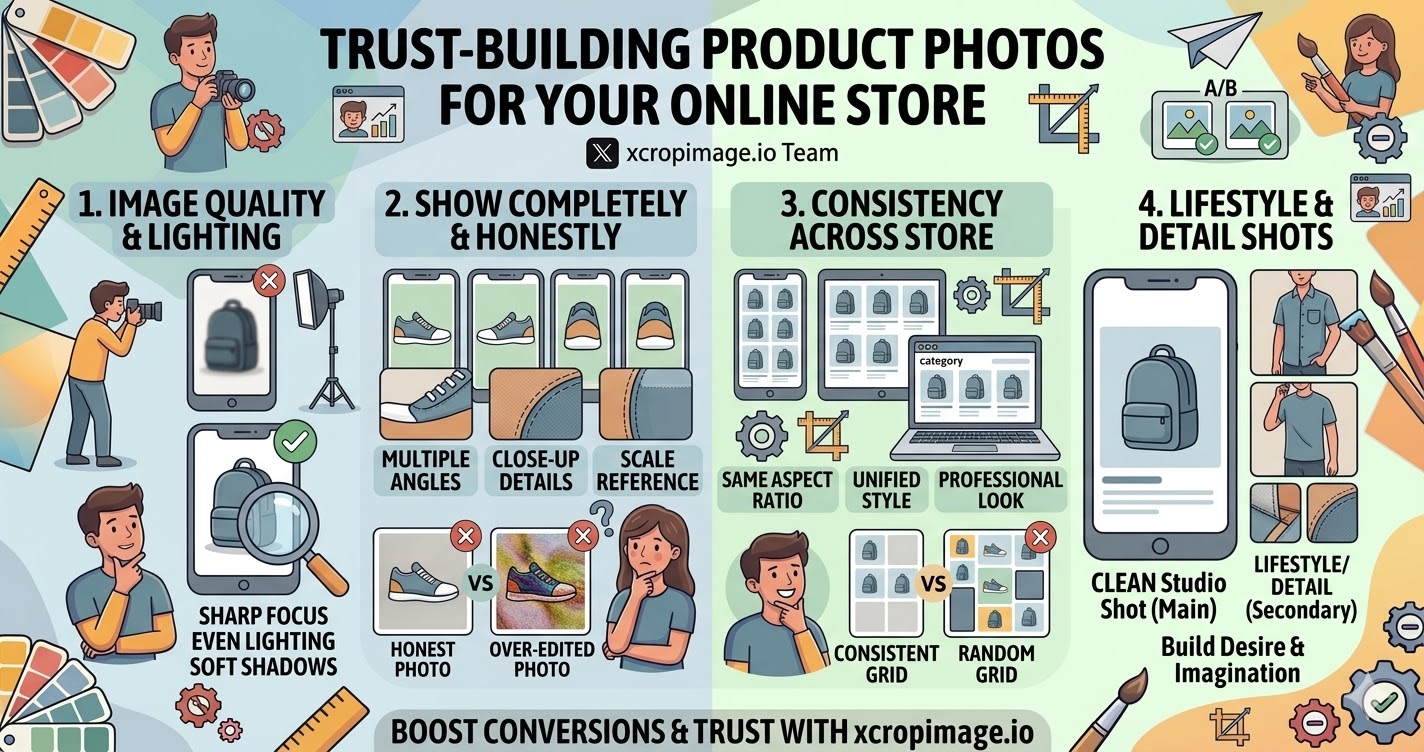
Why Trust Is Built Through Photos
- No physical contact: Online shoppers rely entirely on visuals to judge quality, size, and condition. A photo that looks rushed or low-effort signals the same about your store.
- First impression: The product image is often the first thing a visitor sees on a listing page; it sets the tone before any text is read.
- Returns and disputes: Accurate, detailed photos reduce mismatched expectations and lower return rates—both of which protect your store's reputation.
A high-trust product photo is honest, clear, and complete.
Image Quality and Lighting
- Sharp and in focus: The product should be sharp throughout; blurry images suggest the seller is hiding something.
- Consistent lighting: Soft, even lighting eliminates harsh shadows and shows true color. Avoid strong mixed light sources that distort the product's appearance.
- White or neutral background: A clean background keeps focus on the product and aligns with marketplace standards (Amazon, Etsy, Trendyol, etc.).
Use the crop tool to frame the product consistently and remove distracting edges.
Show the Product Completely and Honestly
- Multiple angles: Show front, back, sides, and close-up details. The more a customer can see, the more confident they feel.
- Scale reference: Include a size reference (hand, ruler, or common object) where relevant so customers understand actual dimensions.
- Honest representation: Do not over-edit colors or texture; what the customer sees should match what arrives.

Completeness and honesty in photos directly reduce return rates and negative reviews.
Consistency Across Your Store
- Same aspect ratio: Using a consistent ratio (e.g. square 1:1) for all product images makes your category and listing pages look professional and organized; the resizer helps standardize this.
- Same background and lighting style: Mixing white-background photos with lifestyle shots on the same listing page looks inconsistent and reduces trust.
- Same crop tightness: Keep similar padding around products across all images so listings look intentional, not random.
A consistent visual style signals that the store is professionally managed.
Lifestyle and Detail Shots
- Lifestyle shots: Show the product in use to help customers imagine it in their own life. These build desire alongside the trust established by clean studio shots.
- Detail close-ups: Stitching, material texture, hardware, labels—close-up shots of these details answer unspoken questions.
- Arrangement: A clean studio shot as the main image and lifestyle or detail shots as secondary images is a proven, effective structure.
What to Avoid
- Watermarks over the product: Heavy watermarks make it hard to see the product clearly and reduce confidence.
- Inconsistent image sizes: Different dimensions across a category page look unprofessional; use the resizer to standardize.
- Over-processed images: Heavy filters, artificial sharpening, or color correction that misrepresents the product damages trust when the item arrives.
Conclusion
Trust-building product photos are sharp, well-lit, honest, and consistent. They show the product completely, use clean backgrounds, and maintain a unified look across the store. Use the crop and resize tools on xcropimage.io to standardize your product images and create an online store that customers trust—and buy from.