
Favicons and touch icons: staying readable at tiny sizes
Simplify marks for 16–512 px, add contrast, and align with maskable safe zones.
Introduction
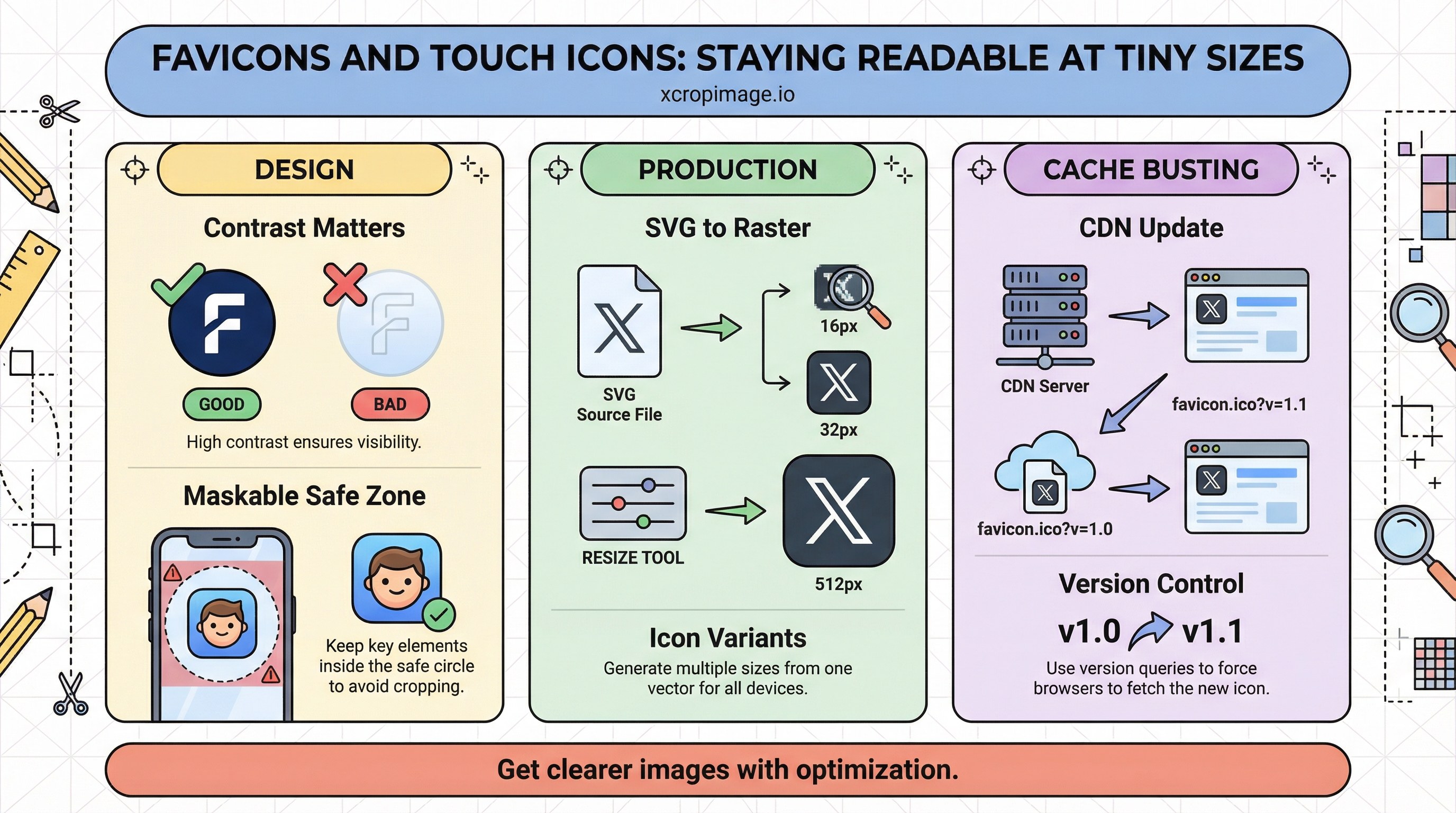
Favicons and touch icons represent your brand in a handful of pixels—complex marks turn to mush. Plan a reduced mark (monogram, letterform, or simplified symbol) specifically for raster sizes; do not assume a full logo will survive at 16×16.
Earlier in this series: Short video vs GIF · PWA splash · WebP vs AVIF.
Design rules
- Prefer high-contrast or single-color variants; hairline strokes disappear when rasterized small.
- Respect maskable icon padding so Android adaptive shapes do not crop your mark.
- Test on light and dark tab backgrounds—browser UI themes change perceived contrast.
Production
Rasterize from SVG; simplify paths that look crisp in vector but noisy in pixels. Typical outputs include 16, 32, 180 (Apple touch), and 192/512 for web app manifests. Use resize to generate consistent sizes from one master.

Cache busting
After you change icons, browsers and CDNs may keep old files—follow CDN guidance. Rename files or bump a version query string as part of deploy.
Turkish parallel
Favicon ve dokunma ikonları (Türkçe) covers the same workflow in Turkish.
Conclusion
Small icons reward the same discipline as large campaigns: reduce, contrast, safe zones, and versioned deploys.