
CDN cache: why users still see old images after you deploy
Debug stale images across browser and CDN caches using versioned URLs, query strings, and purges.
Introduction
You uploaded the right file, but users still see the old image—often CDN or browser cache serving bytes from an earlier response. This is normal caching behavior, not necessarily a failed deploy. This article explains the layers, practical fixes, and how to validate after release.
Earlier in this series: Lazy loading and LCP · Image sitemap · OG debugging.
Where stale bytes hide
| Layer | What happens |
|---|---|
| Browser | Strong caching headers keep an old hero.jpg for days |
| CDN edge | POPs cache by URL; same path may not refetch immediately |
| Reverse proxy | Origin shield or nginx cache can add another hop |
Social crawlers (Open Graph) often cache previews separately—see OG debugging when shares show old art.
Fixes that actually work
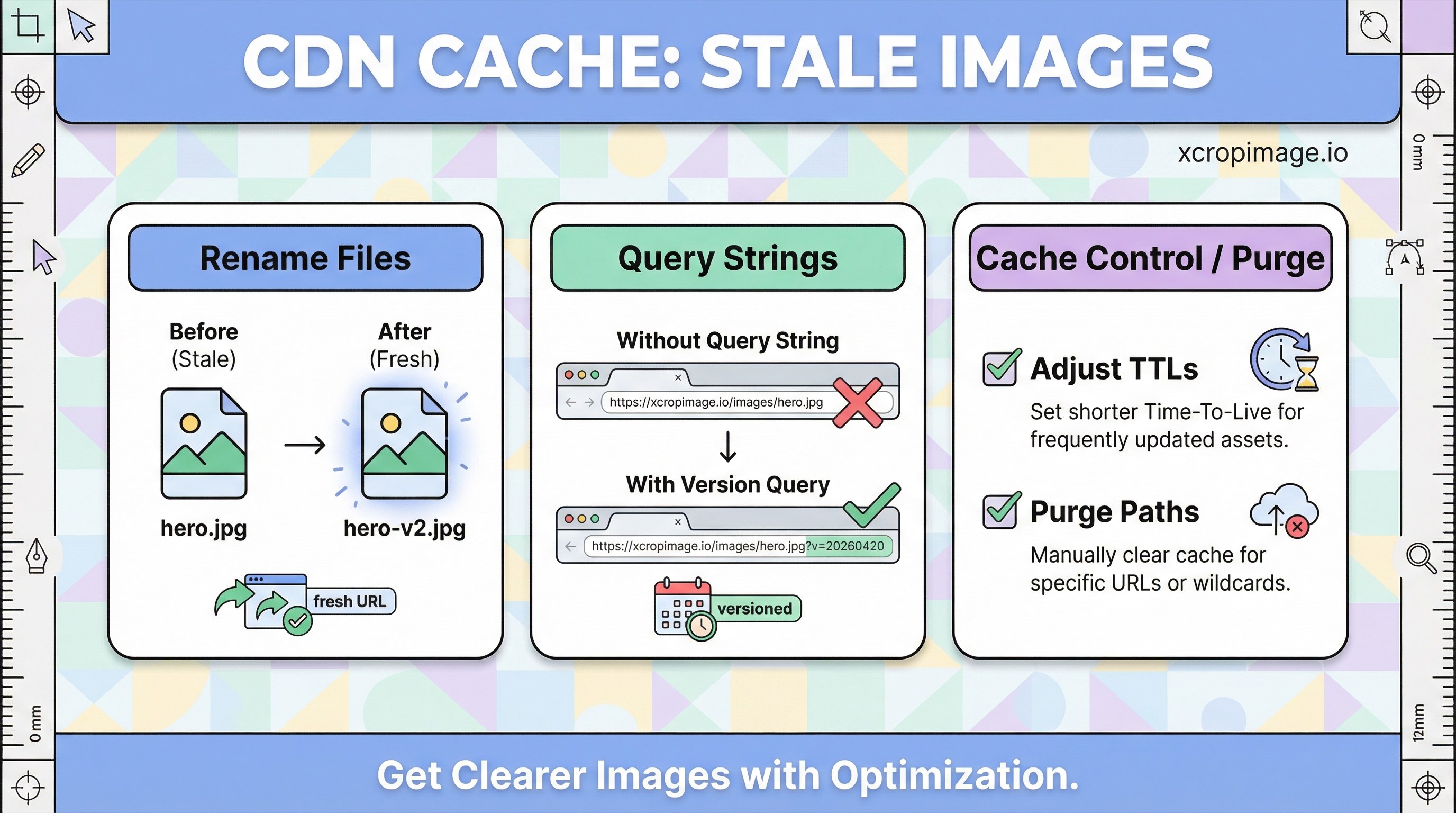
- Rename files:
hero-v2.jpgcreates a fresh URL—most reliable for static sites. - Query strings:
?v=20260420works if your CDN varies cache keys by query (confirm in docs). - Cache-Control / purge: shorten TTLs for frequently changed paths or purge by URL/path; Cloudflare cache illustrates typical controls.
- Content hash in build: bundlers that emit
hero.a1b2c3.jpgcombine cache efficiency with safe updates.

LCP and measurement impact
Stale hero bytes can skew LCP if you thought you shipped a lighter file. After deploy, test in a private window and from an edge location different from your office IP.
Process tie-in
Standardize versioning in batch resize automation and ecommerce batch workflow so every deploy changes URLs predictably.
Turkish parallel
CDN ve önbellek: eski görsel aynı konuyu Türkçe özetler.
Conclusion
Caching is a feature until it hides your update—plan URL changes or purges as part of release, not as an afterthought.