
Visual Content Calendar: Managing Seasonality, Campaigns, and Stock in One Plan
Unify seasonal campaigns, inventory status, and image production in a single visual content calendar framework.
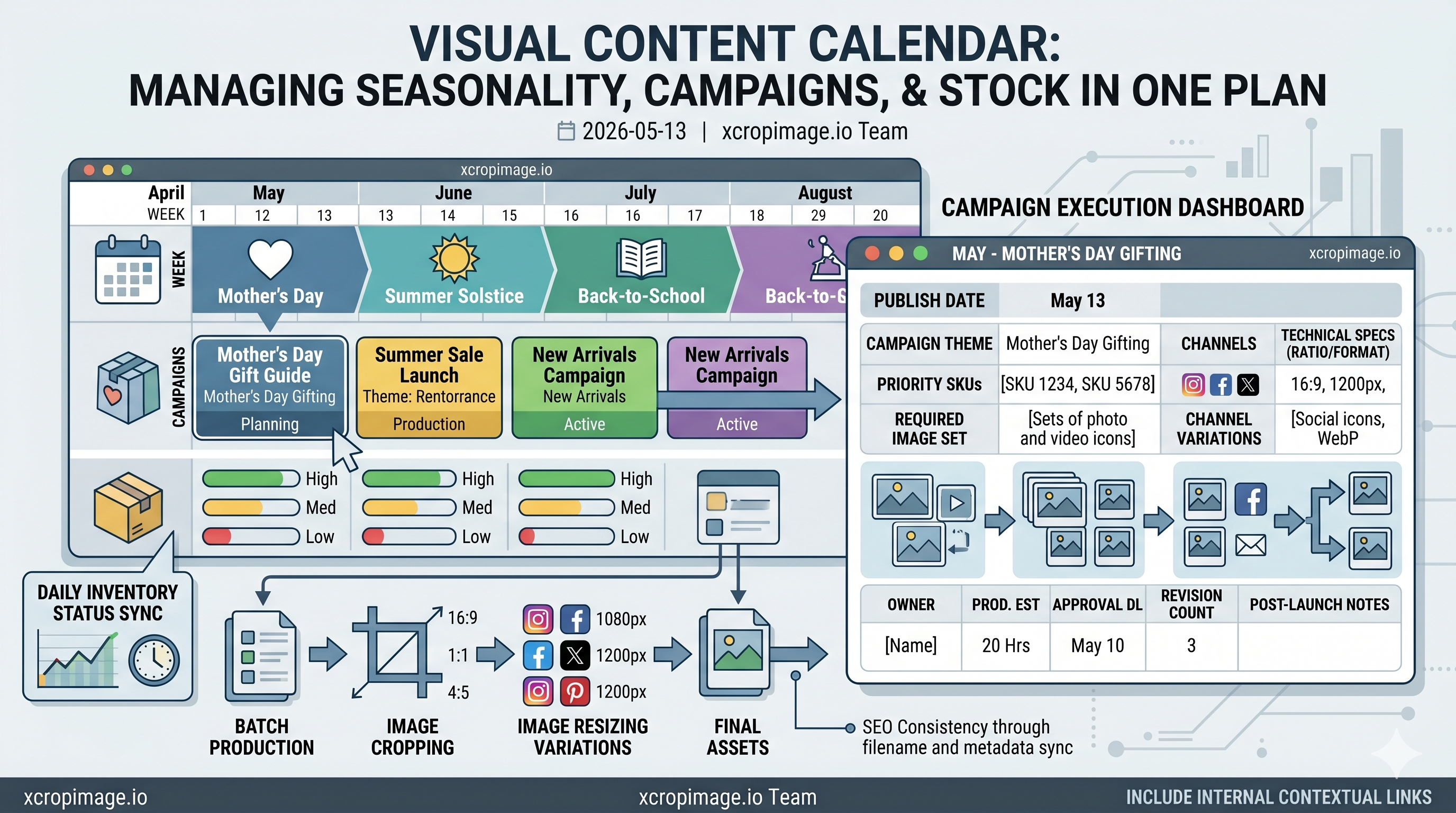
Many teams separate campaign calendars from inventory reality. That gap causes rushed creatives, mismatched launches, and wasted production cycles. A visual-first calendar solves this by connecting planning and execution.
Use one table with these fields: publish date, campaign theme, priority SKUs, required image set, channels, and technical specs (ratio, size, format). To structure production, align with this batch image workflow guide.
Instead of building assets one by one, produce by template set. Define framing first with the image cropper, then generate channel variations via the image resizer.
This process also improves SEO consistency. When campaign pages, filenames, and image metadata are synchronized, search engines receive clearer relevance signals.
A visual calendar is not just a planning sheet. It is a control system that protects quality while keeping campaign velocity high.
2026 Operational Upgrade
Leading teams now sync campaign planning with inventory status daily rather than weekly. This prevents wasteful production for out-of-stock items and reallocates creative effort toward active revenue opportunities.
Extra Fields That Improve Execution
Add owner, production estimate, approval deadline, revision count, and post-launch notes to each calendar row. With these fields, the calendar becomes a real execution dashboard instead of a static planning document.