
Ecommerce batch image workflow: folders, naming, and versioning
Structure folders, separate masters from web outputs, and version filenames to stop wrong assets from shipping.
Introduction
At SKU scale, random filenames and messy folders let the wrong image go live—bad for conversions, returns, and brand trust. Split source / web / archive, name files predictably, and version clearly so automation and humans agree on “the file we ship.” This article mirrors the Turkish deep-dive E-ticaret toplu görsel iş akışı with English-first examples.
Earlier in this series: Print guide · Pinterest · App Store screenshots.
Why a folder template matters
- Automation expects stable paths: batch scripts, PIM imports, and CDN uploads all break when folders drift.
- Onboarding: new teammates should not guess where the hero lives versus alternates.
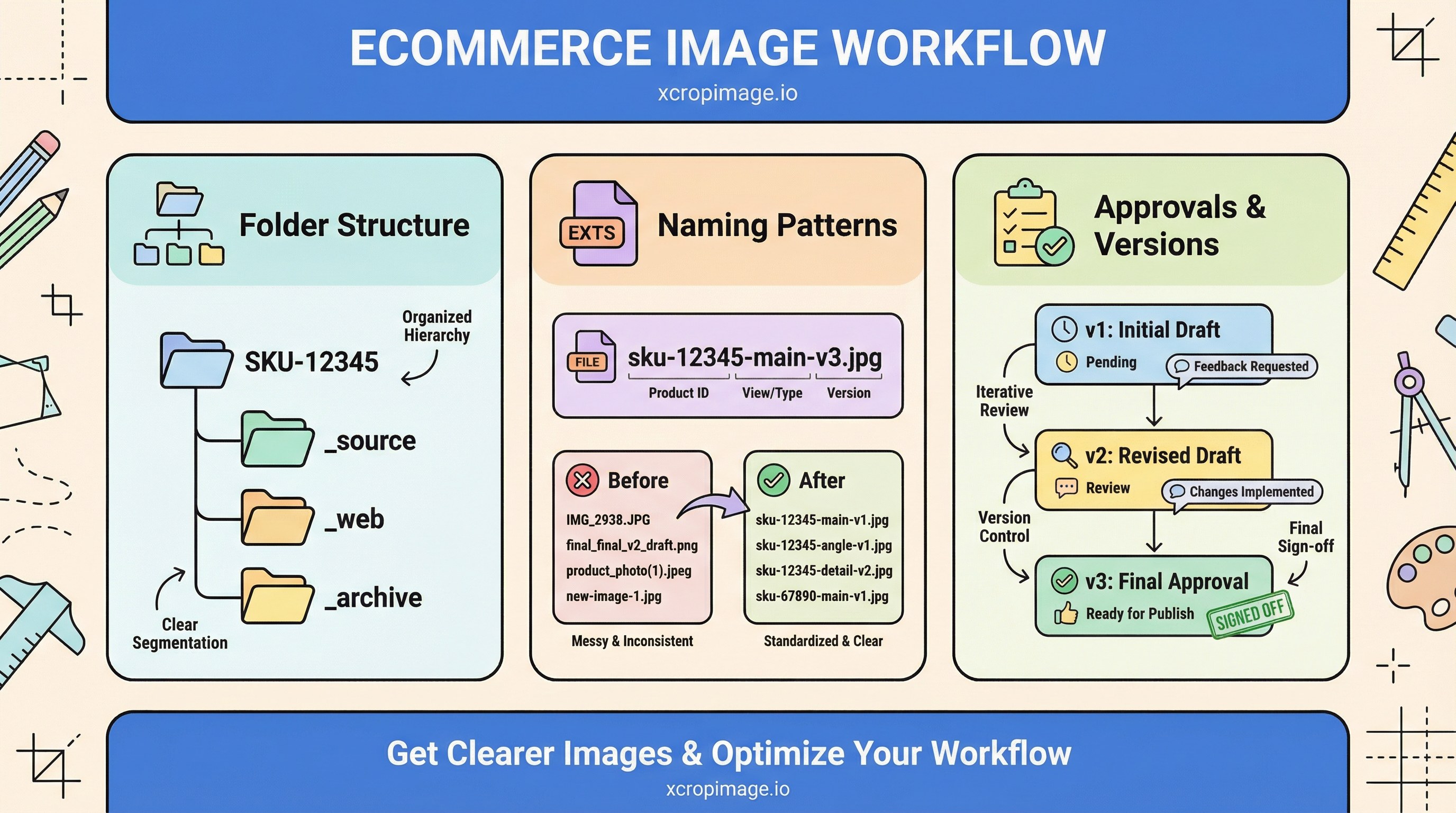
Example structure per SKU: SKU-12345/_source, SKU-12345/_web, SKU-12345/_archive. Align naming with main vs gallery planning so main, alt-01, and detail shots do not collide.
Naming patterns

Readable patterns like sku-12345-main-v3.jpg work well—avoid spaces and ambiguous dates (01-02-03). Keep SEO filename guidance in mind: descriptive, not stuffed.
Approvals and versions
Add date or version at sign-off (v3, 2026-04-13, or rev-b—pick one system). For team scale, DAM fundamentals expands metadata, roles, and search.
Automation and quality gates
Pipelines belong in batch resize and compress: one rule set, repeatable quality. After deploy, versioned filenames or query strings help bust CDN caches.
Conclusion
Folder discipline plus naming plus versioning is the backbone of ecommerce media ops. For one-off fixes, use crop and resize on xcropimage.io; keep masters separate from web outputs.