
Lazy loading and the LCP image: which image should load first?
Balance lazy loading with fetchpriority for the LCP image so Core Web Vitals stay healthy.
Introduction
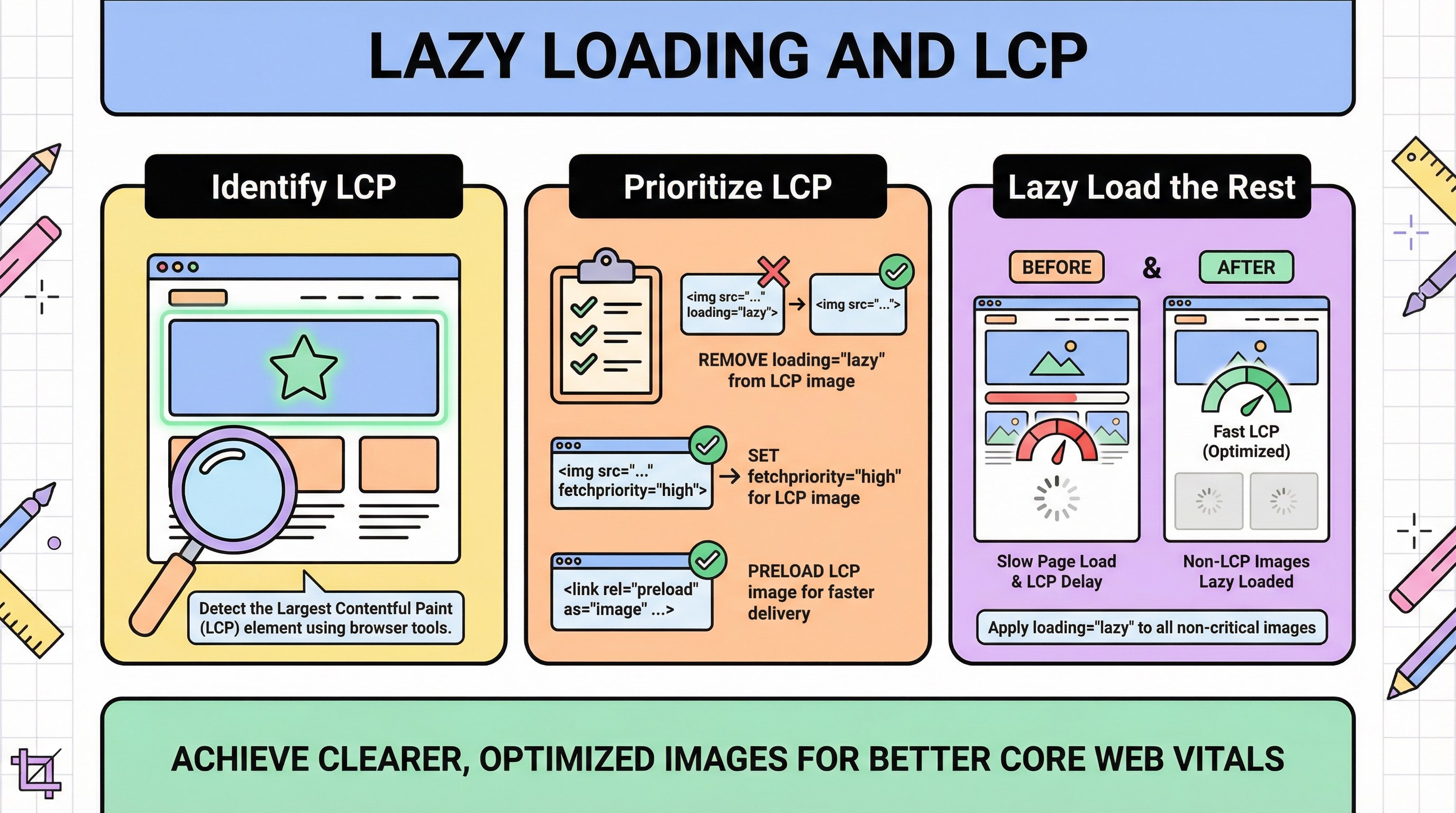
Lazy loading defers below-the-fold images and saves bandwidth—but delaying the LCP (Largest Contentful Paint) candidate hurts Core Web Vitals and user-perceived speed. The fix is not “disable lazy loading everywhere”; it is identify the LCP element, prioritize it, and lazy-load the rest.
Earlier in this series: Image sitemap · WebP vs AVIF · Newsletter heroes.
How to choose the LCP image
On many product and content pages, the hero or main product image is the LCP element—but not always (text blocks or video posters can win). Use field and lab tools to confirm; web.dev: Optimize LCP walks through measurement and common fixes.
Practical rules:
- Do not set
loading="lazy"on the likely LCP<img>(or usefetchpriority="high"where supported and validated). - Preload the critical hero URL only when profiling shows a real bottleneck—avoid over-preloading.
MDN and attribute behavior

MDN on loading documents how lazy interacts with the viewport. fetchpriority is complementary for hinting urgency.
CDN and caching
Stale caches after deploys can affect LCP if you thought you shipped a lighter file—see CDN cache and stale images. Versioning belongs in batch automation.
Turkish parallel
Lazy loading ve LCP (Türkçe) mirrors this guide.
Conclusion
Pair LCP prioritization with format optimization (WebP/AVIF) and general tips from simple image tips for faster sites.